
[PROJECT] Mail Reporting Service on Raspberry Pi Zero 2 W

Written by Jens on
![[PROJECT] Mail Reporting Service on Raspberry Pi Zero 2 W](/assets/images/PRJ-pi-mail-reporting/cover_raspberry-pi.jpg)
The Automatic Reporting Mail Service fetches weather, astronomy, and stock data from various APIs, processes the data, and sends a formatted email report to a specified email address. The service is designed to run automatically at a specified time each day on a Raspberry Pi Zero 2 W.
Project Overview
- Fetches current weather and astronomy data for a specified city using the WeatherAPI.
- Retrieves stock market data for a list of specified stock tickers using the Yahoo Finance API.
- Gathers top news headlines from the NewsAPI for a specified country and category.
- Composes a well-structured email report containing the fetched data.
- Sends the email report using SMTP with TLS encryption for security.
- Designed to run on a Raspberry Pi Zero 2 W for low power consumption and continuous operation.
Difficulties Encountered
- API Rate Limits: Ensuring that the number of API requests stays within the free tier limits to avoid additional costs.
- Email Security: Configuring the email service to use secure authentication methods and handling sensitive information like passwords securely.
- Data Formatting: Creating a clear and readable email format that presentss the data effectively.
- Raspberry Pi Configuration: Setting up the Raspberry Pi to run the script automatically at a specified time using cron jobs.
- Error Handling: Implementing robust error handling to manage potential issues with API requests or email sending.
- Visualization: Creating simple visualizations (like stock price charts) to enhance the email report.
Setup Instructions
Clone the repository to your Raspberry Pi. It is a private repository on my GitHub here. Ask me for access if you want to test it. Edit the config.py file to include your API keys, email address, and Gmail password.
  from datetime import datetime

  # Get today's date in format "YYYY-MM-DD"
  TODAY = datetime.now().strftime("%Y-%m-%d")

  QUERY = "Karlsruhe"  # City for which to fetch weather and astronomy data
  WEATHER_URL = "http://api.weatherapi.com/v1/current.json"  # URL for Weather API
  ASTRONOMY_URL = "http://api.weatherapi.com/v1/astronomy.json" # URL for Astronomy API
  WEATHER_API_KEY = ""  # API key for Weather API

  EMAIL_FROM = ""                 # Email adress for sending emails
  EMAIL_TO = ""                   # Email adress for sending emails
  EMAIL_PWD = ""                  # Password set in Google account settings
  SMTP_SERVER = "smtp.gmail.com"  # SMTP server for sending emails
  SMTP_PORT = 587                 # Standard port for email submission

  # List of stock tickers to fetch data for
  TICKER_LIST = ["GOOGL", "AAPL", "MSFT", "AMZN", "TSLA", "NVDA"]

  # URL for News API
  HEADLINES_URL = "https://newsapi.org/v2/top-headlines"
  HEADLINES_API_KEY = ""  # API key for News API

  # Country code to fetch headlines for
  HEADLINES_COUNTRY = "us"

  # News category to fetch headlines for
  HEADLINES_CATEGORY = "general"
Email Body Examples
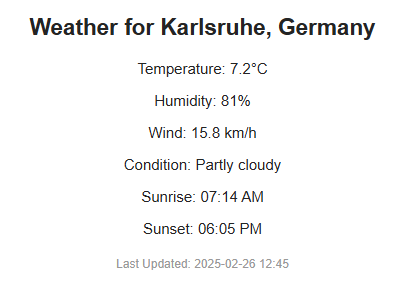
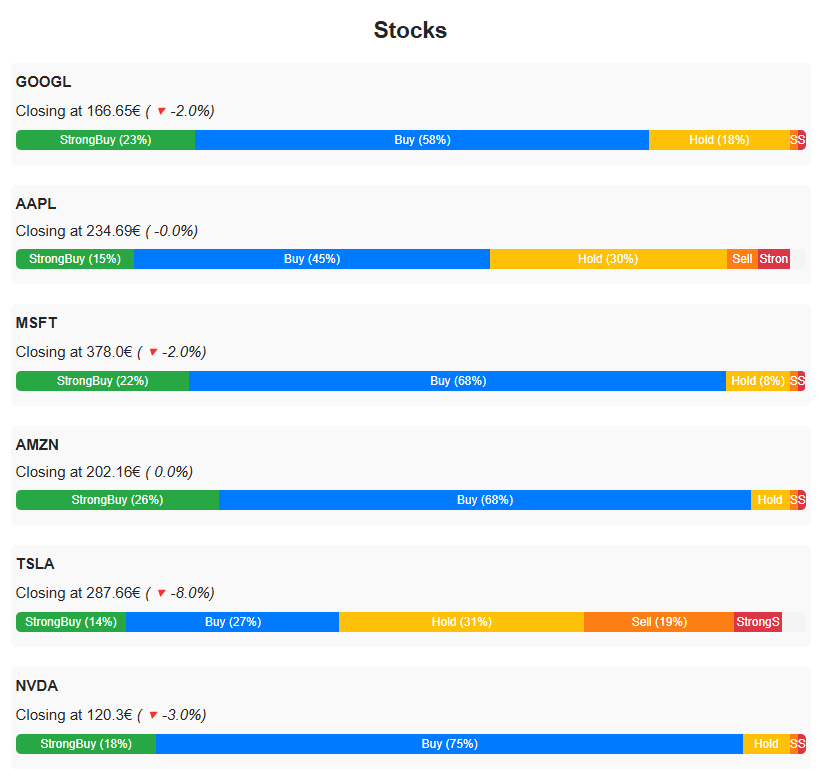
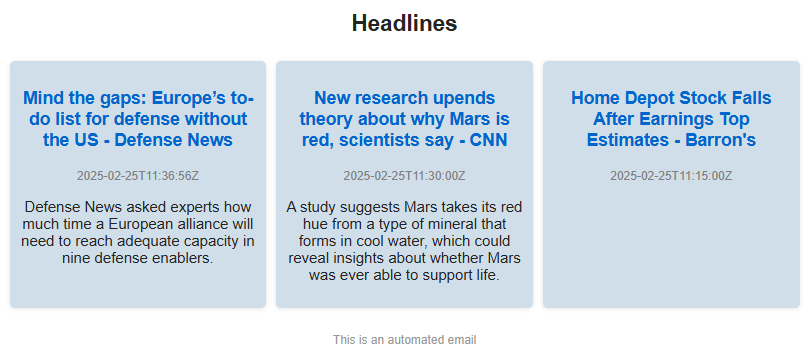
At the specified time, the Raspberry Pi executes the script, gathers the data, and sends an email with the following sections:
Weather Report
Stocks Report
Headlines Report
Explore more like this
![[PROJECT] Automatic File Management — Organize, Automate with Python Scripting](/assets/images/PRJ-automatic-file-management/cover_automatic-file-management.png)
[PROJECT] Automatic File Management — Organize, Automate with Python Scripting
Python can be an amazing tool for automating simple, repetitive tasks on your computer with minimal effort. One tidious task i often face is keeping my downloads folder organized. Over...
![[PROJECT] Smart Inbox Automation with n8n — Auto-categorize Emails and Trigger Custom Actions](/assets/images/PRJ-n8n/cover-n8n.png)
[PROJECT] Smart Inbox Automation with n8n — Auto-categorize Emails and Trigger Custom Actions
With n8n, an open-source workflow automation tool, you can fairly easy create AI powered workflows such as an workflow that automatically categorizes incoming emails and triggers custom actions based on...
![[PROJECT] Create a static Website based on a resume using Langflow](/assets/images/PRJ-langflow-resume-website/cover-langflow.png)
[PROJECT] Create a static Website based on a resume using Langflow
Langflow is a Low-code AI builder for agentic and RAG applications. It is a powerful tool to build and deploy AI agents and MCP servers. It supports all major LLMs,...
Comments