
[PROJECT] Smart Inbox Automation with n8n — Auto-categorize Emails and Trigger Custom Actions

![[PROJECT] Smart Inbox Automation with n8n — Auto-categorize Emails and Trigger Custom Actions](/assets/images/PRJ-n8n/cover-n8n.png)
With n8n, an open-source workflow automation tool, you can fairly easy create AI powered workflows such as an workflow that automatically categorizes incoming emails and triggers custom actions based on their content. This can help you manage your inbox more efficiently and ensure important emails are prioritized.
This project was a prove of concept and is not intended for production use. It demonstrates the capabilities of n8n and AI integration for email automation. It was build with a local ollama model with limited parameters. Upgrading to a paid OpenAI plan and using their API would yield better results.
The idea for this project
I stumbled upon n8n while searching for low-code automation tools that could integrate with AI models. I watched a couple of tutorials and was impressed by its flexibility and ease of use, so I decided to explore its capabilities myself. Installations was quiet straightforward with their docker image for self-hosting. Ollamna made it easy to run local LLMs without worrying about API costs or data privacy. The AI Agent node in n8n allows me to connect to my local Ollama models seamlessly. After setting up the basics, I wanted to create a workflow that could help me manage my email inbox more efficiently. The idea was to automatically categorize incoming emails based on their content and trigger custom actions, such as sending notifications, moving emails to specific folders, or even generating automated drafts for replies.
The workflow consists of several components (This can be adjusted based on your specific needs):
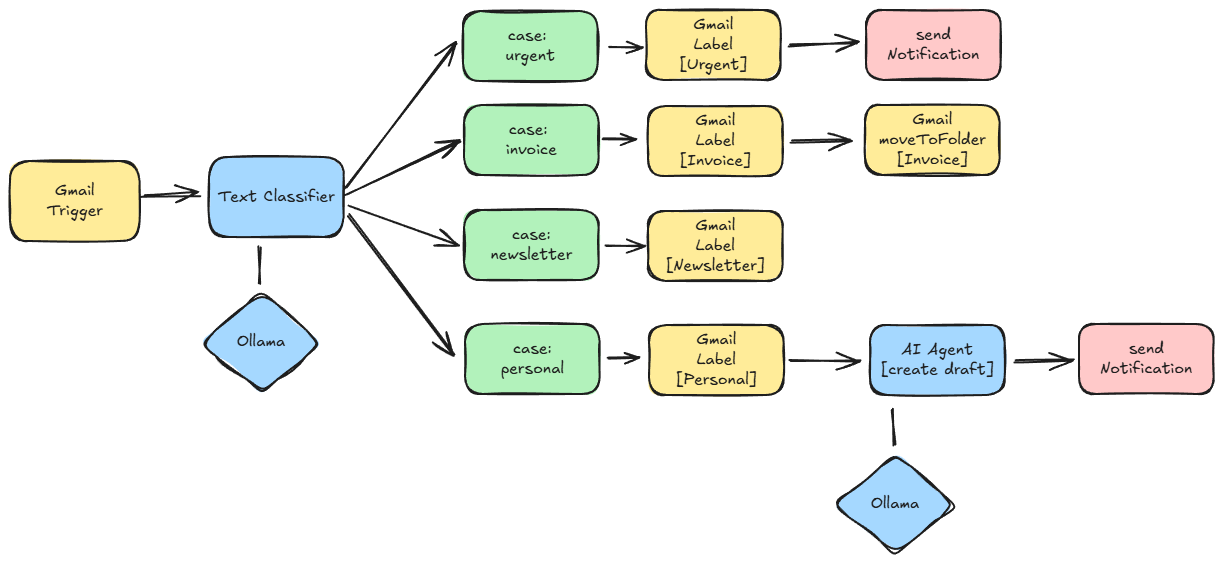
Prerequisites associated with this project
- N8N: An n8n instance (self-hosted or n8n.cloud). There a many tutorials online on how to set up n8n locally. SaaS solutions like hostinger with one-click n8n installation also work well as i heard from user feedback.
- LLM: Since I am running this project locally for testing purposes, I used Ollama with a local model (e.g., Llama 2) and an embedding model. This way I can avoid API costs and have more control over data privacy. However, for production use, I recommend either a high-parameter local model and embedding model or using a paid plan with OpenAI or another LLM provider for better performance.
- Mail Inbox: An email account that supports IMAP/SMTP (e.g., Gmail, Outlook)
The problems I faced
While building this workflow, I encountered several challenges:
- Local LLM Limitations: Running a local LLM with limited parameters resulted in slower response times and less accurate categorizations. Additionally, the embedding model I used had limitations in understanding context, which affected the quality of email categorization. Lastly your computer needs to have sufficient resources (RAM, CPU/GPU) to run the models effectively. Therefore you have to find a balance between model size and performance based on your hardware capabilities or consider using cloud-based LLMs for better performance.
- Local n8n Instance: The local n8n comes with some limitations in terms of using certain nodes or integrations that are only available instantly on n8n.cloud. For example webhooks need to be configured with a public URL using tools like ngrok for testing purposes.
- Prompt Engineering: Crafting effective prompts for the AI Agent node to accurately categorize emails was a trial-and-error process. It took some time to find the right balance between specificity and generality in the prompts to achieve reliable results.
Conclusion
Overall, this project was a valuable learning experience that showcased the potential of combining n8n with AI models for email automation. I got more comfortable with n8n and its capabilities, and I am excited to explore more use cases in the future. I consider this project a starting point for further experimentation and refinement. With improvements in local LLMs and n8n’s capabilities, I believe this workflow can be enhanced to provide even more robust email management solutions.
Download the n8n workflow: You can download my template n8n workflow file below to get started with your own email inbox automation. The AI prompts are included in the workflow, but feel free to customize them based on your specific needs and preferences.
Attachments
Explore more like this
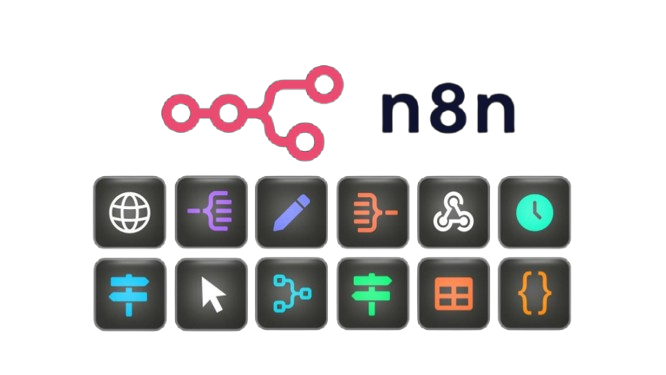
Overview of the most common nodes in n8n
n8n provides a wide range of nodes that allow you to connect different services, manipulate data, and automate workflows. Here is an overview of some of the most commonly used...
![[PROJECT] Building a Free Automated Movie and TV Show Tracking System](/assets/images/PRJ-movie-tracker-automation/cover-movie-tracker-automation-removebg-preview.png)
[PROJECT] Building a Free Automated Movie and TV Show Tracking System
This project covers the process of creating an automated system to track your movie and TV show collection using Python and free Hosting services. This system helps keep an organized...
Error Handling in n8n: Best Practices and Techniques
Automating workflows with n8n can significantly enhance productivity and streamline processes. However, as with any automation tool, errors can occur. Effective error handling is crucial to ensure that your workflows...
Comments