
Overview of the most common nodes in n8n

n8n provides a wide range of nodes that allow you to connect different services, manipulate data, and automate workflows. Here is an overview of some of the most commonly used nodes in n8n:
This post was inspired by a youtube video from Master 80% of n8n by Learning just these 17 Nodes. Check it out for a more detailed explanation of each node!
1. Trigger Nodes
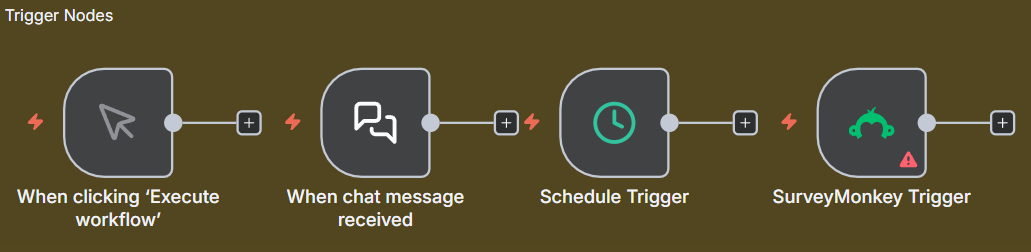
- Trigger manually: Execute workflows manually. Most of the times ussed for testing purposes.
- Chat trigger: Start workflows based on built-in chat messages.
- Schedule trigger: Start workflows at specified intervals or times.
- On app event trigger: Start workflows based on events from connected applications. Such as form submissions or new entries.
2. Storage Solutions
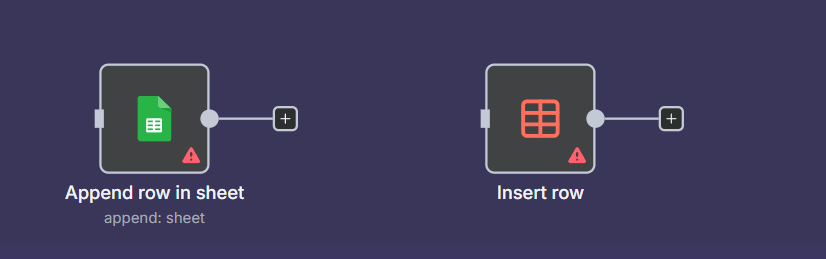
- Google Sheets: Read from and write to Google Sheets. N8n provides various operations like adding rows, updating cells, and retrieving data. Needs authentication via OAuth2.
- Data Table: A built-in node for storing and retrieving data within n8n workflows. Useful for temporary data storage and manipulation.
3. Data Processing Nodes
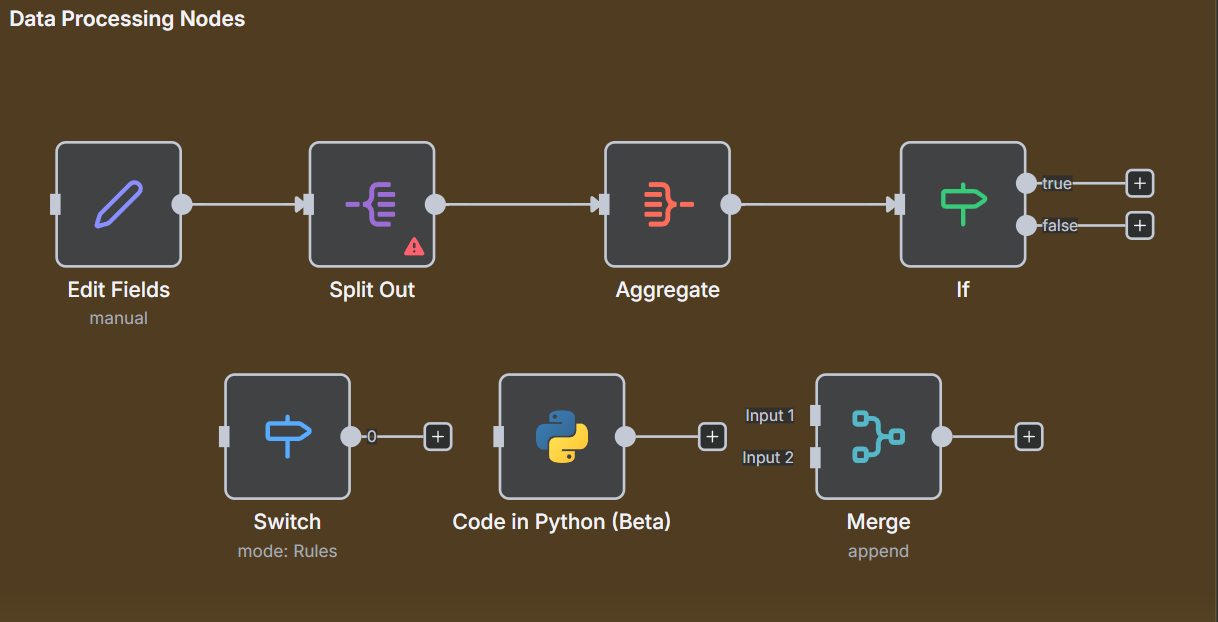
- Edit Fields (Set): Modify, add, or remove fields in the data passing through the workflow.
- Split Out: Split data into multiple items based on specified criteria.
- Aggregate: Groups separate items into a single item
- If: Conditional logic to route data based on specified conditions. Only returns true or false branches to continue the workflow.
- Switch: Similar to the If node but allows for multiple branches based on different conditions.
- Code in JavaScript or Python: Custom code execution for advanced data manipulation and processing.
- Merge: Combine multiple data streams into a single stream.
4. Connectivity & APIs
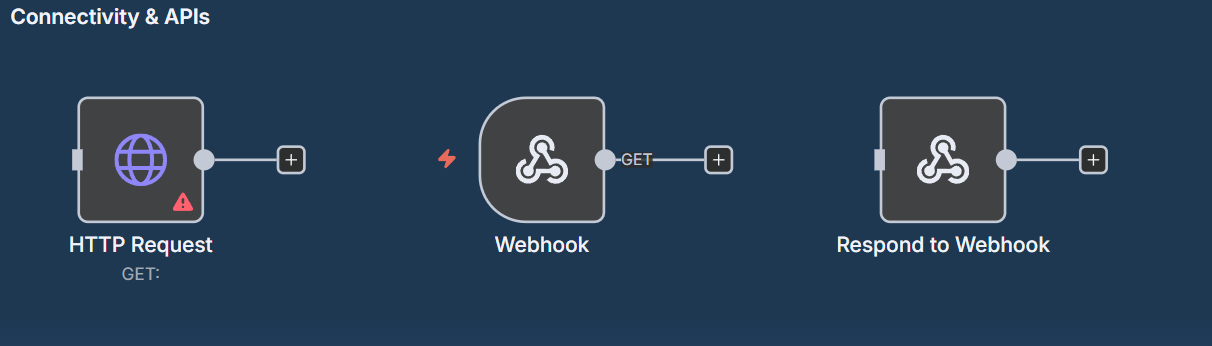
- HTTP Request: Make HTTP requests to external APIs and services. Supports various methods like GET, POST, PUT, DELETE, etc.
- Webhook Trigger: Start workflows based on incoming HTTP requests. Useful for integrating with external services that can send webhooks.
- Webhook Response: Send responses back to the source of the webhook request.
5. AI Integration
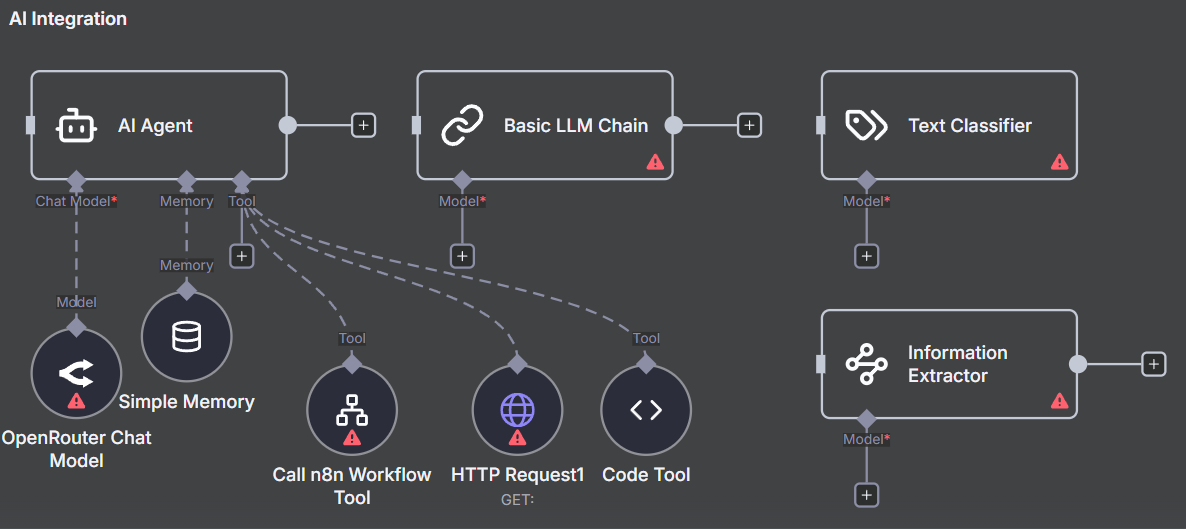
- AI Agent: Bundle multiple AI operations into a single node. Useful for complex AI workflows. Connect a chat model, a memory storage and tools to the agent. Provide prompts to control the agent’s behavior.
- Chat Model: Connect a chat model to your workflow. Supports various providers like OpenAI, Ollama, Antropic, and more.
- Simple Memory: Store and retrieve information during the workflow execution. Useful for maintaining context in AI conversations. For more complex memory management, consider using vector databases.
- Tools: Integrate external tools and services into your AI workflows. Examples include web search, calculations, and more.
- Pre-built AI Nodes: n8n offers pre-built nodes for popular AI services like Text Classification, Information Extraction, and Sentiment Analysis.
Conclusion
These nodes represent just a fraction of the capabilities n8n offers. By combining these nodes, you can create powerful and flexible workflows to automate a wide range of tasks and processes. Experiment with different nodes to discover how they can enhance your automation projects!
EDIT: A YouTube user I am subscribed to created a video based on this blog post. Check it out: Master n8n With These 17 Essential Nodes. He provided additional documents and workflow examples in the video description. I link them here for your convenience:

Explore more like this
![[PROJECT] Smart Inbox Automation with n8n — Auto-categorize Emails and Trigger Custom Actions](/assets/images/PRJ-n8n/cover-n8n.png)
[PROJECT] Smart Inbox Automation with n8n — Auto-categorize Emails and Trigger Custom Actions
With n8n, an open-source workflow automation tool, you can fairly easy create AI powered workflows such as an workflow that automatically categorizes incoming emails and triggers custom actions based on...
Error Handling in n8n: Best Practices and Techniques
Automating workflows with n8n can significantly enhance productivity and streamline processes. However, as with any automation tool, errors can occur. Effective error handling is crucial to ensure that your workflows...
Unlocking the Power of Low-Code and No-Code Platforms
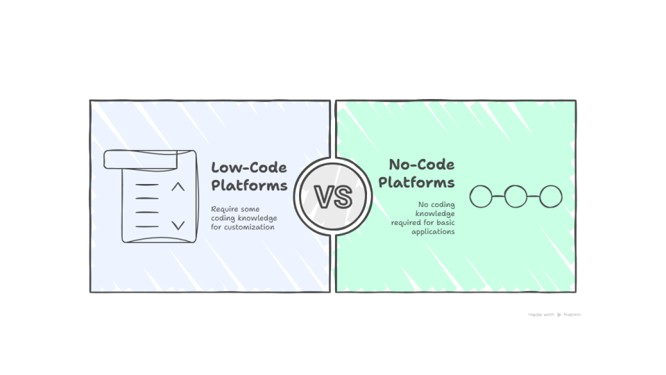
Low-Code and No-Code (LCNC) platforms empower non-developers and business users to create applications and automations with little to no coding required. Instead of writing full applications from scratch, users can...
Comments